Vipps
Setting up CheckoutJoy to accept payments using your Vipps account
Vipps
This guide will walk through setting up your Vipps account in CheckoutJoy.
Supported Payment Options
- One-time payments
- Multiple payments
- Subscriptions
How does it work?
In the video, I walk through the process of creating a custom checkout page on Kajabi, complete with a hero section, our embedded checkout widget, testimonials, and a FAQ section. The checkout widget displays the product details (a fitness membership priced at 1,000 Norwegian Krone per month).
After filling out the form, the customer is directed to the VIPPS page to confirm their mobile number. Once confirmed, a notification is sent to their VIPPS mobile app, prompting them to complete the payment in-app. It's a simple, secure process that takes just a few taps!
Upon successful payment, the customer is redirected to your thank-you page, and their account is automatically created in Kajabi with access to the purchased offer. You can verify this in your Kajabi dashboard, where you'll see the customer's email and the granted product.
The VIPPS payment integration with Kajabi supports both subscriptions and one-time payments, making it a versatile solution for your online courses and memberships. All you need is an active VIPPS account to start selling your products to Norwegian customers.
Adding your account details
In the CheckoutJoy dashboard
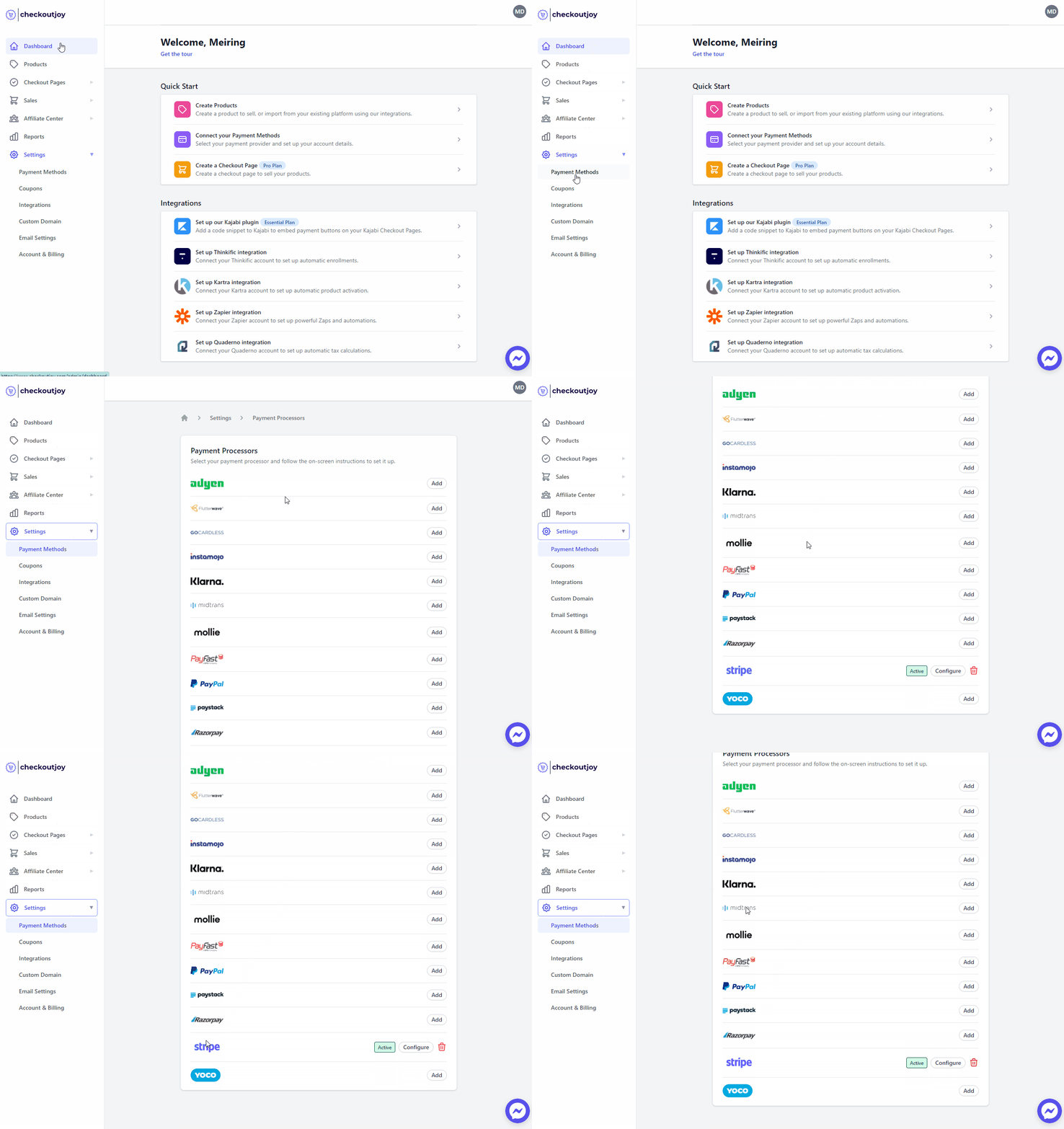
- Navigate to Settings > Payment Methods
- Select your payment processor and click on Add
Finding your API Key ID and Secret
- Log into your Vipps account
- Navigate to **Settings > API keys **
- Create a new Secret Key, and give write permissions for the Money-in Products
Setting up Vipps as a payment method on CheckoutJoy
To add Vipps as a payment method on CheckoutJoy, visit your CheckoutJoy account and
select Payment Methods from the main menu.
Under AVAILABLE PAYMENT PROCESSORS - select Vipps.
Subscriptions
CheckoutJoy supports processing subscription payments with your Vipps account.
How does it work?
When customers purchase a subscription product, they are given a secure link to open the Vipps app on their mobile phones. The app guides them through the process of accepting the payment agreement, ensuring a safe transaction, after which the subscription is active.
Failed payments & Retries
When a subscription payment fails, Vipps will automatically retry the payment 3 times. Vipps manages the retry schedule and will notify CheckoutJoy of the status of the retries. If all the retries for a subscription fail, then the subscription is cancelled and can't be continued any further. The customer must complete a new subscription agreement (i.e., checkout) to continue with the subscription service.
Order status — pending vs completed
CheckoutJoy marks a Vipps order as completed when it receives the "payment completed" webhook from Vipps.
If an order is stuck in Pending, first walk through the self-service webhook diagnostic in Troubleshooting — most pending-order issues are simple webhook misconfigurations on the processor side that you can fix in 5 minutes from your own dashboard.
Occasionally Vipps will complete a payment in its own dashboard without sending CheckoutJoy the corresponding webhook, which leaves the CheckoutJoy order in Pending status with no recourse from the merchant side. When that happens, no automations run (no offer grant, no tag, no confirmation email).
How to reconcile a stuck "Pending" Vipps order
- Confirm the transaction is actually completed in your Vipps merchant dashboard.
- Copy the Vipps transaction reference.
- Send it to CheckoutJoy support — we can manually transition the order to Completed and the downstream automations replay.
This is a Vipps-side webhook reliability issue, not a misconfiguration on your end.
Frequently asked questions
Why does the checkout show "unknown payment processor module: vipps"?
That's a CheckoutJoy-side error, not a merchant configuration issue. Contact CheckoutJoy support to have it resolved. If you're running a launch or webinar, do a test purchase first so any platform issue surfaces ahead of time.
Which currencies and countries does Vipps support?
Vipps is the dominant payment app in Norway and the integration charges in Norwegian Krone (NOK). Buyers need an active Vipps account on their phone to authorize payments.
Vipps charged my buyer but the purchase didn't activate — how do I fix it?
This is almost always a broken Vipps webhook on your specific account (rather than a platform-wide issue). The fix is to re-register the Vipps webhook:
- In your Vipps merchant portal, locate the webhook/notification settings for your sales unit.
- Re-register the CheckoutJoy notify URL:
https://api.checkoutjoy.com/v1/notify?p=Vipps. - Re-test with a small live transaction.
Once re-registered, future activations work normally. Already-paid orders that are stuck in Pending from before the re-registration can be reconciled per the self-service webhook diagnostic.
Note: Vipps webhook breakage tends to recur per merchant account, not platform-wide. If you've had it once and it returns, the fix is the same.
I activated Vipps but it doesn't appear on my embedded widget
Processors must be enabled at both the account level and the widget level. Activating Vipps in Settings → Payment Methods isn't enough — open the specific widget's settings and confirm Vipps is enabled in its payment-method list. Without that second toggle, the widget renders only the processors it was configured with at creation time.
This applies to widgets embedded on Kajabi/Thinkific/HighLevel/LearnWorlds pages.